Design5 min read
How to Make a Stream Overlay: Sizes and Mistakes
What a stream overlay is, which scenes it includes, what size to design it at for OBS and the mistakes to avoid so it doesn't cover your game or cam.
À la carte
Your overlay is the first thing your community sees. We design it around your personality and brand, and you buy it per unit with full payment on PayPal.
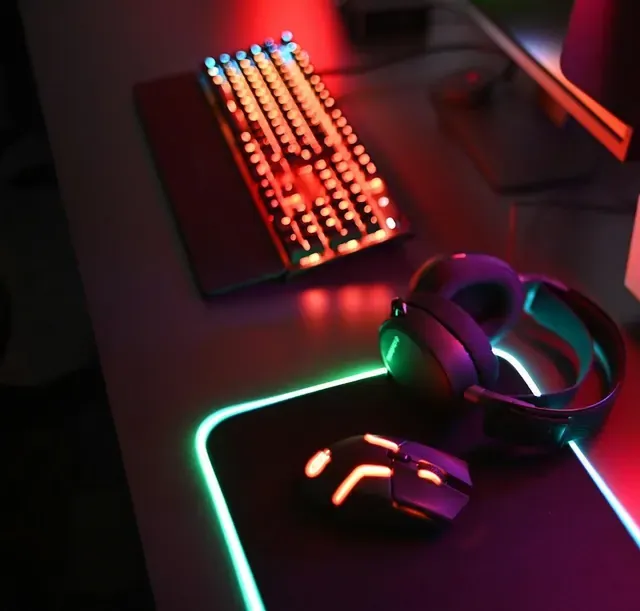
A stream overlay for Twitch, Kick or YouTube is the graphic layer that sits on top of your game and your camera inside OBS: frames, starting and BRB screens, and the details that make your stream look like yours and not like a template. At Epik Streamer we design every overlay around your personality and brand, and you can buy it per unit at $20.
The overlay is the most constant visual part of your stream: it’s on screen while you play, talk and react. That’s why it’s the first thing anyone entering your channel picks up on. An a la carte overlay makes sense if:
The service is one overlay designed around you. It’s sold per unit, so you decide how many you need: one overlay for each unit purchased, with one revision included per piece. Any other piece or format you didn’t order is treated as an additional service and charged separately.
An overlay is designed around the canvas of your broadcast. These are the official references for each platform:
That means a 1920 x 1080 canvas is the usual starting point on all three platforms. If you use another size, tell us in the brief. For alerts and chat boxes, OBS recommends a Browser source using the URL from your provider; that source has a default size of 800 x 600 that you adjust yourself.
If you need one or two pieces, buying a la carte is the direct route. If you also need a logo, panels or a banner, look at the Boost pack, which includes a logo, 3 overlays, 3 panels and 1 banner for one platform. The Creator pack adds 5 overlays, 5 panels, a banner, emotes, badges and OBS setup. Compare the sum of what you’ll need with the pack price and choose.
To complete your scene, pair your overlay with alerts and panels. If you want to better understand how an overlay is put together, read the guide to making a stream overlay.
Buy your overlay, tell us how you want your channel to look and let us handle the design.
Data taken from each platform's official documentation.
Each overlay costs $20. You can buy just one or several. If you need several, compare with the Boost and Creator packs, which include overlays along with other pieces.
Yes. An overlay is a graphic layer you set up in OBS, and from OBS you can stream to Twitch, Kick and YouTube. In your brief you tell us your main platform so we design with it in mind.
One revision included at no extra cost per piece. From the second revision on the same piece, there's an additional charge. If you change the concept completely, it counts as a new production.
Once payment is complete and you approve the final delivery, usage is assigned to you for your personal brand and channel. Epik keeps a license to show the work in its portfolio, unless you agree to an NDA that restricts it.
Payment is in full and direct on PayPal, at the time of purchase. There are no later charges.
Your complete brief: who you are, your community, your content and main platform, your personality, your visual identity and your references. Production and delivery start once the brief is complete and payment is made.
Design5 min read
What a stream overlay is, which scenes it includes, what size to design it at for OBS and the mistakes to avoid so it doesn't cover your game or cam.
Design6 min read
How to build your channel's brand: personality, a logo that reads small, a color palette and consistency across overlay, emotes, panels and banner.
Pick your option, pay in full and securely on PayPal, and book a short call to complete your brief.